
Clean up your iPhone photos, one swipe at a time
SwipeLeft shows your photos one at a time with their size and date. Swipe left to trash, right to keep. Nothing is deleted until you empty the trash.

Free for 50 swipes a day
Pro $4.99 a month or $14.99 once
What you get
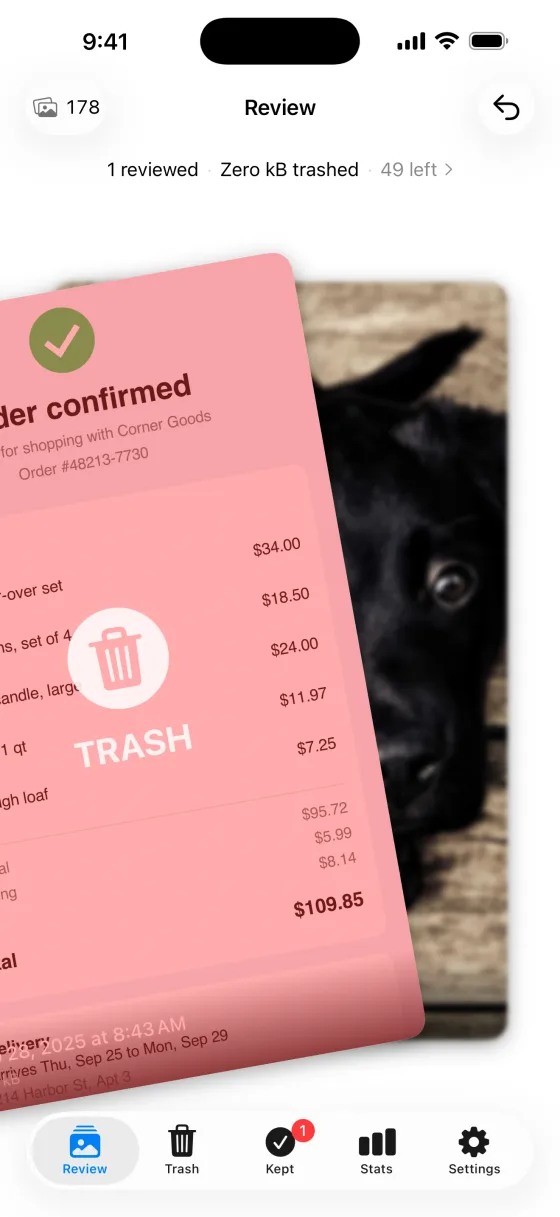
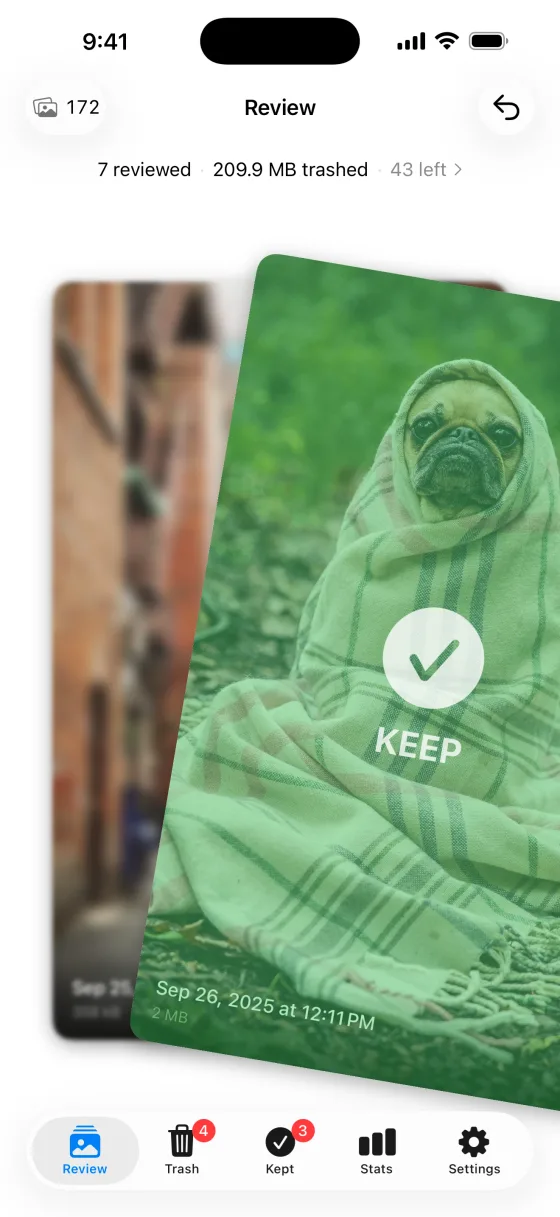
Swipe left to trash, right to keep
Each photo or video appears as a card. Swipe right and it joins your kept collection.
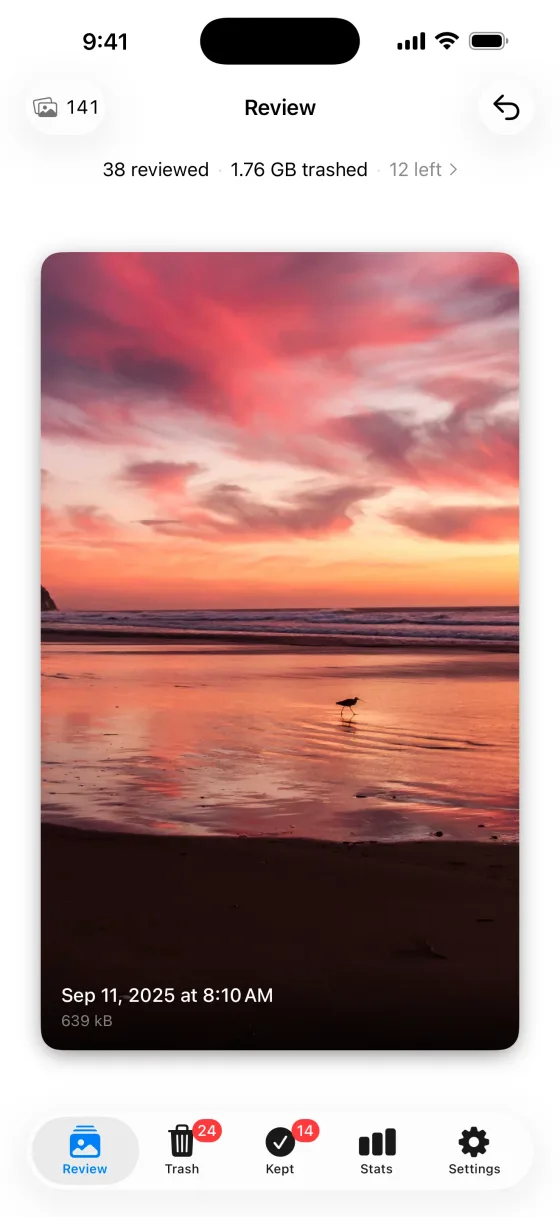
Size and date on every card
See what a photo costs in space before you decide. Videos show their length too.
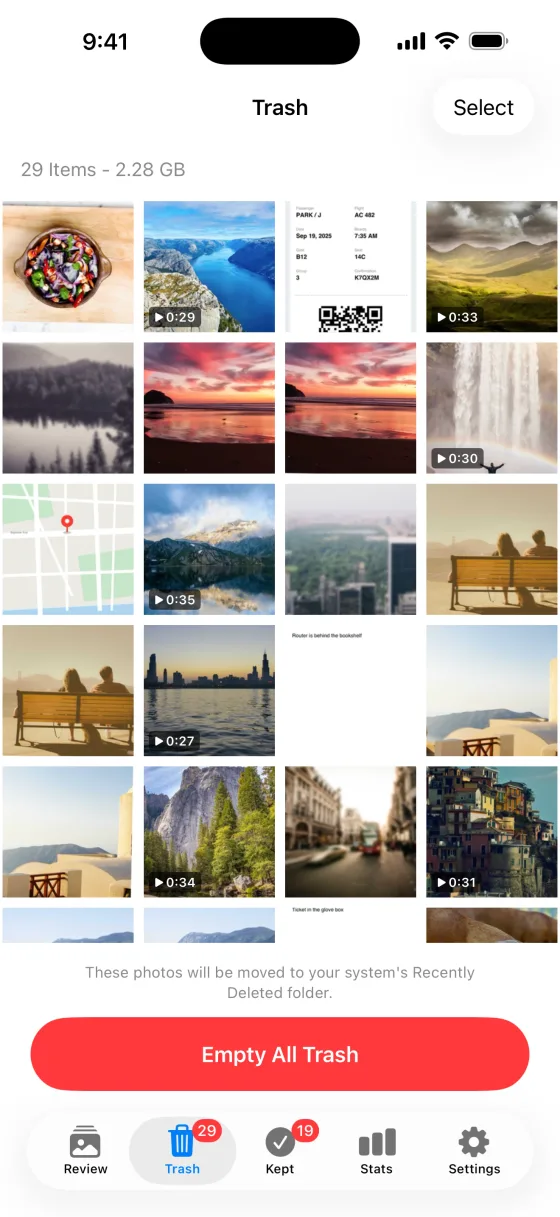
Recoverable trash
Nothing moves to Recently Deleted until you empty the trash. Restore anything before then.
Undo
Take back a swipe you didn't mean, straight away.
Stats and a Home Screen widget
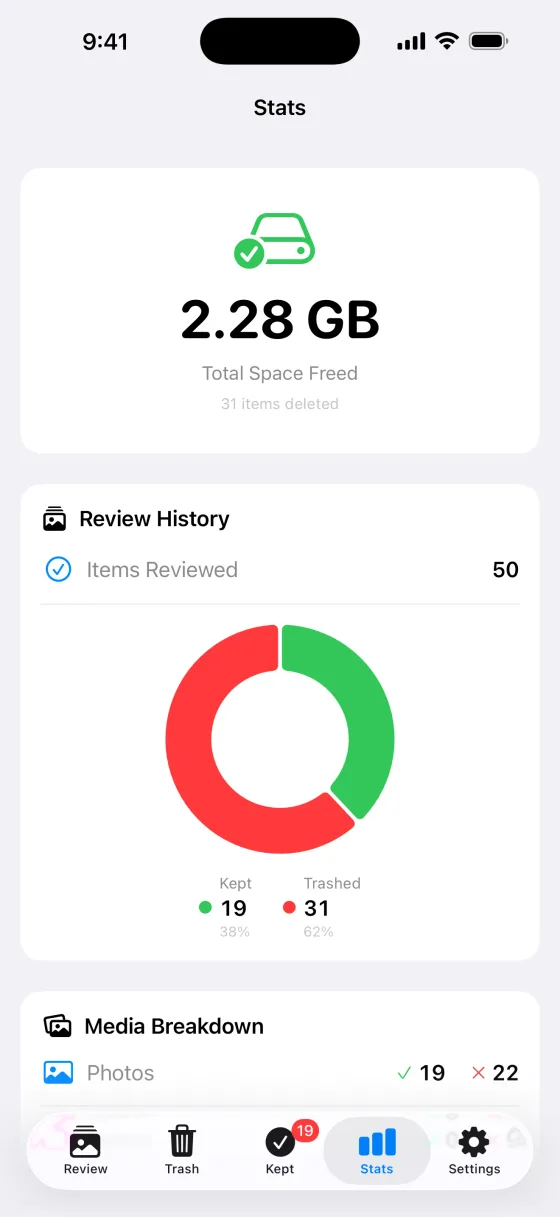
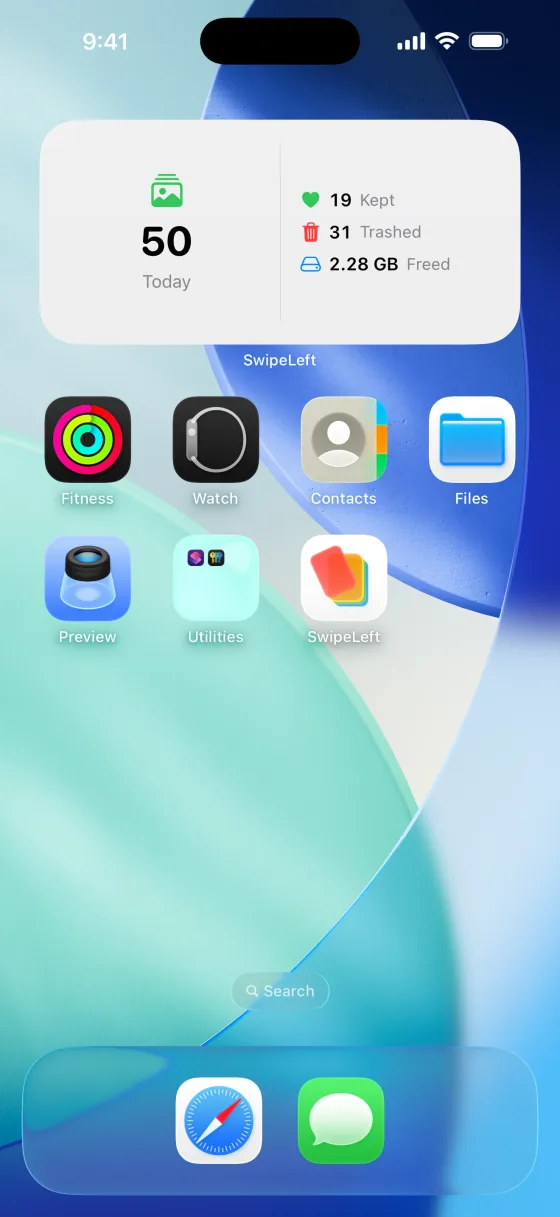
Track the photos you have reviewed and the space you have cleared, and see today's progress at a glance.
Private
Your photos never leave your device. No uploads, no cloud, no account, no tracking.
Works on iPhone and iPad, with photos and videos. Details on data are in the privacy policy.
How it works
Swipe left to trash
The photo goes to SwipeLeft's trash, not straight to deletion.
Swipe right to keep
The photo joins your kept collection, and you won't see it again.
Empty the trash when you're sure
Only then do the photos move to Recently Deleted in the Photos app, where Apple keeps them for 30 days.
Price
Free
$0
50 swipes a day.
Pro monthly
$4.99a month
Unlimited swipes. Renews automatically unless canceled.
Pro lifetime
$14.99once
Unlimited swipes, paid once. Never expires.
Requires iPhone with iOS 17 or later, or iPad with iPadOS 17 or later. English.
Questions and answers
What is SwipeLeft?
SwipeLeft is an iPhone and iPad app for cleaning up your photo library. It shows your photos one at a time: swipe left to send a photo to the trash, swipe right to keep it. It is made by Winton Gee.
Is SwipeLeft free?
Yes. SwipeLeft is free to download and includes 50 swipes a day. SwipeLeft Pro removes the daily limit.
How much does SwipeLeft Pro cost?
SwipeLeft Pro costs $4.99 a month, or $14.99 once for lifetime access. Both options unlock unlimited swipes.
Does SwipeLeft upload my photos?
No. Your photos never leave your device. SwipeLeft has no uploads, no cloud storage, no account and no tracking.
What happens when I swipe left on a photo?
The photo goes to SwipeLeft's trash, where you can still restore it. When you empty that trash, the photos move to Recently Deleted in the Photos app, where Apple keeps them for 30 days before removing them permanently.
Does SwipeLeft delete photos from iCloud?
If iCloud Photos is on, yes. Apple says deleting a photo on one device deletes it on every device that uses iCloud Photos. It stays in Recently Deleted for 30 days first.
Does SwipeLeft work on iPad?
Yes. SwipeLeft runs on both iPhone and iPad.
Does SwipeLeft use AI?
No. SwipeLeft does not use AI to pick or sort your photos. You see each photo and make the call yourself.
How is SwipeLeft different from the Photos app?
Apple's Photos app lets you select many photos and delete them together, but Apple's documentation describes no mode for reviewing photos one at a time. SwipeLeft shows one photo at a time with its file size and date, so each decision is a single swipe.
What iOS version does SwipeLeft need?
SwipeLeft needs iOS 17 or later on iPhone, or iPadOS 17 or later on iPad. The app is about 10 MB and available in English.
See SwipeLeft on the App Store
More questions? Visit support or email [email protected].
Guides
Step-by-step help using Apple's own tools, updated for iOS 27 and iOS 26.
- iPhone storage full? How to free up spaceFind what is using space and clear it with the tools Apple builds into iOS 27 and iOS 26.
- How to delete lots of photos on iPhone quicklySelect and delete photos in bulk, and recover anything you remove by mistake.
- How to clean up your iPhone camera rollA step-by-step order for clearing the clutter, from duplicates to a weekly habit.
Start with 50 free swipes a day
Download SwipeLeft and clear the photos you don't need, one at a time.